
Using NumPy
Install NumPy
To help with cut and paste commands, select the Applications menu, then Internet > Web Resource > Self-Hosted Developer Desktop Guide to view this tutorial on your desktop.
Install the prerequisites needed to build the package's binary code:
sudo apk add python3-wheel python3-dev
pip3 install Cython --break-system-packages
Build NumPy using the following command. You must build the NumPy code using the Clang toolchain:
CC=clang CXX=clang++ pip3 install numpy --break-system-packagesThis step takes a few minutes to run. Once complete, NumPy is ready to use.
Run the sample script
The steps below check that NumPy works with code adapted from early examples in this tutorial: https://numpy.org/devdocs/user/absolute_beginners.html
In Geany, open /home/qnxuser/projects/python_numpy/hello_numpy.py.
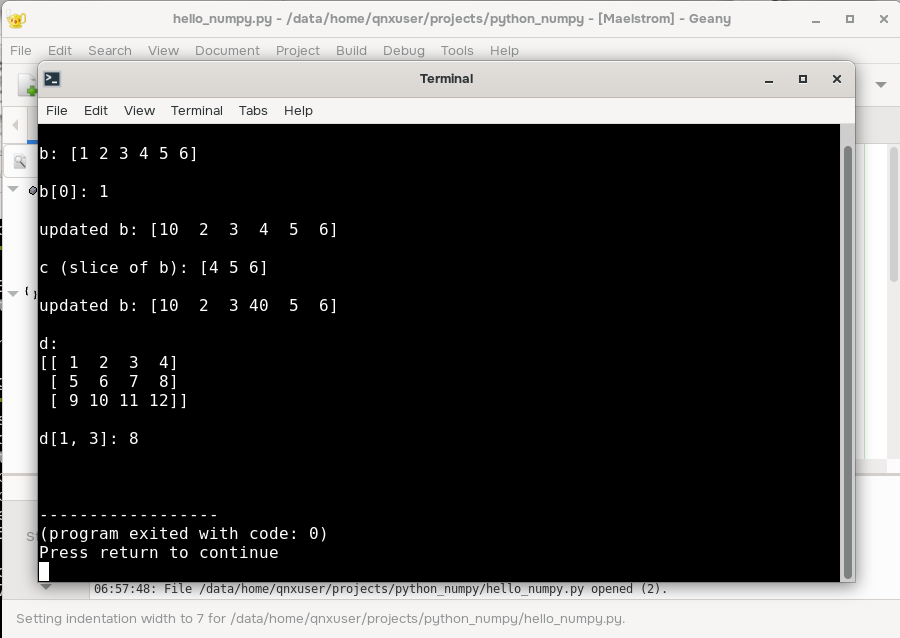
Select Build > Execute. This step outputs different operations as they're performed, based on the initial sample code in the tutorial.:
Next steps
Review the tutorials in the NumPy documentation to try out more functionality: https://numpy.org/devdocs/user/absolute_beginners.html.
The matplotlib and pandas functionality doesn't work with the desktop yet, so avoid trying those parts of the tutorial.