
Write a Hello World application with C++
Launch Geany. From the desktop, select Applications > Development > Geany.
Select Project > New. Name the project hello_world_cpp.
The fields represent the following:
- Name — The name of the project.
- Filename — The filepath of the project, where the project settings are stored. This path generally ends in .geany
- Base path — The base path of all files making up the project.

Click OK when prompted to create the directory.
Write a Hello World sample application. This example uses:
#include <iostream>

int main (int argc, char **argv)
{
    std::cout << "Hello World!";

    exit(0);
}
Select File > Save As, and save it as hello_world.cpp.
Select Build > Compile to compile the source.
Select Build > Build to create an executable for the code.
Select Build > Execute to execute the code in a terminal window:

Try the linting function by adding the following code before your main() function:
std::string hi_again("hello");Add the following after "Hello World!" print statement:
std::cout << hi_again;Your code should look like the following:

Select Build > Lint. You should see a warning about a non-const global variable:
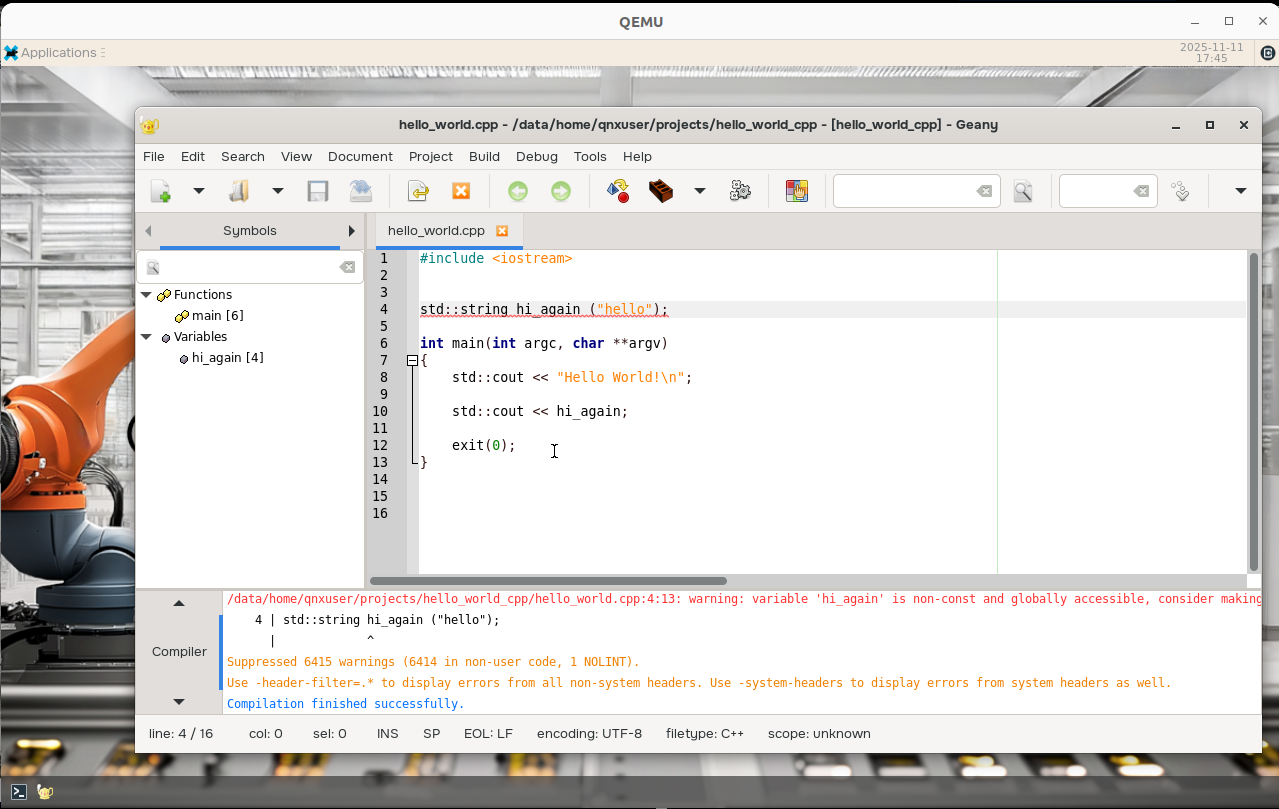
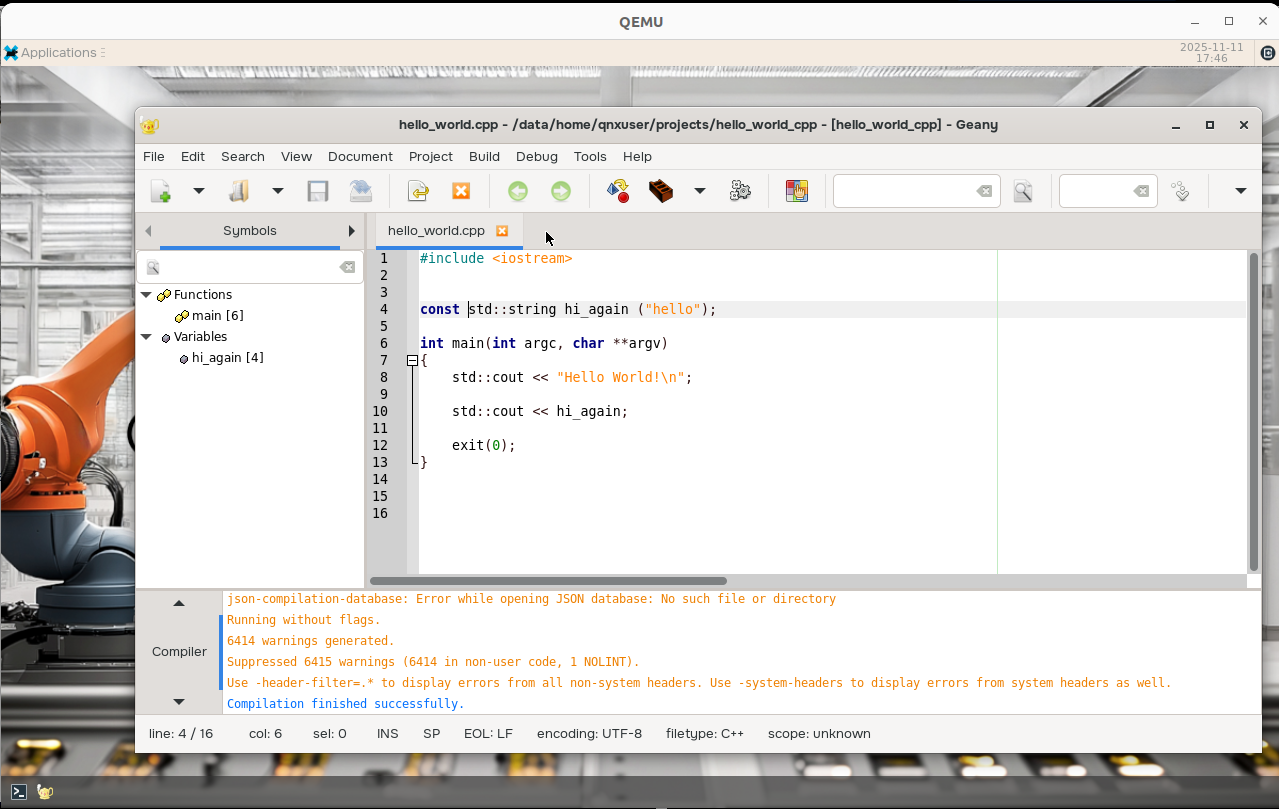
Add in a const before the global string variable and run lint again. The warning should disappear:
Next, try debugging the Hello World sample. Select Build > Set Build Commands.
Select the Build tab, then update the Compile and Build commands to include the
-gflag: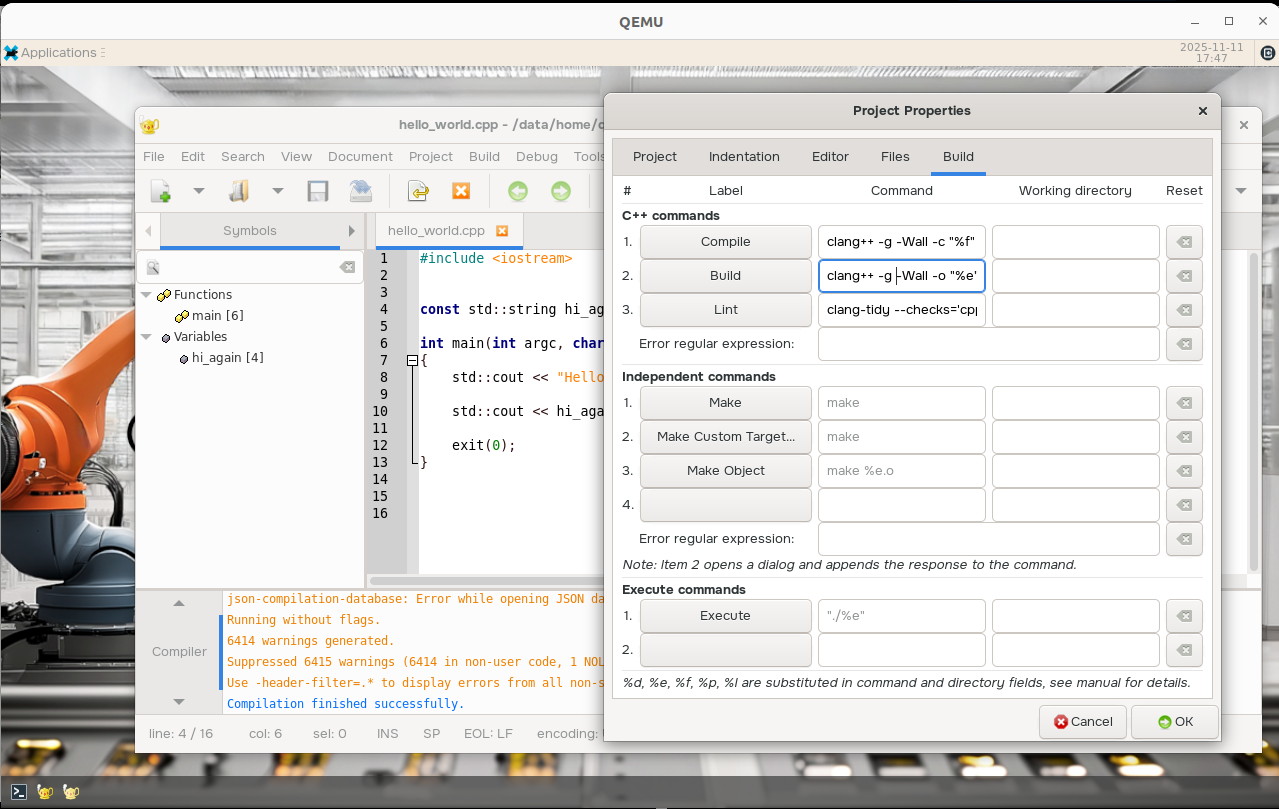
Select Debug > Setup Program to set up the program to be debugged.
Enter the full path to the hello_world executable in the Executable field (e.g., /data/home/qnxuser/projects/hello_world_cpp/hello_world), then click OK.
Set a breakpoint on the print statement. Click the print statement line in the IDE, then select Debug > Toggle Breakpoint. A blue dot appears next to the respective line number

Select Debug > Run/Continue to run the debugger.
Once the breakpoint has been hit, select Debug > Run/Continue or Debug > Step Over.
Next steps
The default commands for C++ files are overriden for the user currently in /home/qnxuser/.config/geany/filedefs.
For more information on how to modify the default commands, refer to the "Adjusting build commands" section in the "Customizing Geany" page.
For more information on how to customize the lint commands, refer to the Clang-Tidy documentation here: https://clang.llvm.org/extra/clang-tidy/.