![[Previous]](prev.gif) |
![[Contents]](contents.gif) |
![[Index]](keyword_index.gif) |
![[Next]](next.gif) |
|
|
|
|
 |
This version of this document is no longer maintained. For the latest documentation, see http://www.qnx.com/developers/docs. |
A text, bitmap, or image label
Immediate subclasses:
For more information, see the diagram of the widget hierarchy.

<photon/PtLabel.h>
The PtLabel class provides a text string, bitmap, or image for labeling other widgets. You can have text pop up in a balloon to provide further meaning to the label.
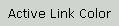
A text string in a PtLabel widget.
As their name implies, labels are tags attached to objects to identify their name or nature. Label widgets are usually positioned beside the other widget they're describing, although in some cases (e.g. lists), the label appears above the object.
The most frequent use of a label is to identify the name of an input field. For example, a mail program must provide input fields for indicating the recipient and the subject of a mail message being composed. The label widget lets you attach “To:” and “Subject:” tags to those input fields.
The default label type is a null-terminated text string. To specify the type of label, use the Pt_ARG_LABEL_TYPE resource. The possible values for this resource are:
Different resources are used for the label data for different label types. This is particularly useful when you wish to switch quickly between image labels and text labels, so you can give the user a choice between using icons and textual descriptions of operations.
At the push of a button, the user can switch your interface from an iconic representation of commands to a textual representation of the same labels. You can switch the label from an icon to text simply by changing the label type resource.
When the label type is textual, the label widget gets the text to be displayed from the Pt_ARG_TEXT_STRING resource.
To specify the font for the text, set Pt_ARG_TEXT_FONT.
The label widget defines its own margins in addition to the margin width defined by the PtBasic widget class. There are separate left, right, top, and bottom margins, which you can specify using:
These margins are cumulative, so that the actual margin of one edge of the widget is the corresponding resource value added to the margin width.
The text label may be aligned independently to the left or right margin, or centered horizontally within the margins of the widget. The Pt_ARG_HORIZONTAL_ALIGNMENT resource controls this behavior. Pt_ARG_SECONDARY_H_ALIGN controls how the text is aligned when the label is smaller than the text (that is, when the text is clipped). If this resource is not set, the value from Pt_ARG_HORIZONTAL_ALIGNMENT is used. The values to specify for these horizontal alignment resources are:
For example, you may want to set Pt_ARG_HORIZONTAL_ALIGNMENT to Pt_CENTER, but ensure that the beginning of the text is readable if the label becomes smaller than the text (for example, if the window is resized, and the label's resize policies allow clipping) by setting Pt_ARG_SECONDARY_V_ALIGN to Pt_LEFT.
You can also control the vertical alignment, i.e. whether the text is aligned to the widget's top or bottom margin, or centered vertically between the two margins. The Pt_ARG_VERTICAL_ALIGNMENT resource controls this behavior. Pt_ARG_SECONDARY_V_ALIGN controls the alignment of clipped text. The values to specify for the vertical alignment are:
By default, the text displayed in the label widget is left-aligned horizontally, and centered vertically. The baseline is calculated by adding the ascender of the label font to the top margin. When text is aligned to the bottom of the widget, the baseline is calculated by subtracting the descender of the label font from the widget's bottom margin.
You can align the baselines of labels drawn with different fonts by selecting bottom alignment for each of the widgets and choosing appropriate margins for them. In this case, make sure you specify a widget height large enough to accommodate the height of the largest font used.
The desired baseline for your aligned widgets is adjusted by the size of the maximum descender of all the fonts used. For each label, add the difference between this descender and the descender of that label's font, then add this difference to the widget's bottom margin. Keep track of this value so that you can recalculate the correct margin setting if you want to change the base margin or the font later on.
When the label is an image, the label widget gets the image from the Pt_ARG_LABEL_IMAGE resource, which contains a pointer to an image structure, of type PhImage_t, which is described in the Photon Library Reference.
The members of the image structure used by the label and button widgets are:
Images can be palette-based or raw. Palette-based images, including bitmaps, have a color palette that serves as a lookup table for determining what color should be displayed for each pixel. Each pixel in the image is encoded as an index into the lookup table, and the pixel is displayed using the color contained in the corresponding table entry.
Raw images have actual RGB color values encoded in the image data.
More than one pixel may be encoded in each byte of the image data, so image-scan lines are padded out to a byte boundary.
Bitmaps are encoded with 1 bit-per-pixel, with the most significant bit first. The types are:
The other types of palette-based images are:
Raw images are all encoded using 16, 24, or 32 bits-per-pixel. The types of raw images are:
For more information about manipulating images and image data formats, see the Raw Drawing and Animation chapter of the Photon Programmer's Guide.
Balloons are a very handy feature of the PtLabel widget class. You can use a balloon to display a line of text when the pointer pauses on top of a widget for more than a second.
This can be very useful in an application with a lot of icons. Whenever you pause on an icon, a little text box pops up beside it to display the name or action the icon represents.
To use balloons with label class widgets:
The Pt_ARG_BALLOON_TEXT resource defines the text displayed in the balloon. If this resource is not set, the Pt_ARG_TEXT_STRING is displayed instead. This allows you to choose one of the two main uses of balloons, either to give further information to the user, or to display the label text in cases where the label has been truncated.
| Resource | C type | Pt type | Default |
|---|---|---|---|
| Pt_ARG_ACCEL_KEY | char * | String | NULL |
| Pt_ARG_BALLOON_COLOR | PgColor_t | Scalar | Pg_BLACK |
| Pt_ARG_BALLOON_FILL_COLOR | PgColor_t | Scalar | Pt_BALLOONCOLOR |
| Pt_ARG_BALLOON_POSITION | short | Scalar | Pt_BALLOON_RIGHT |
| Pt_ARG_BALLOON_TEXT | char * | String | NULL |
| Pt_ARG_HORIZONTAL_ALIGNMENT | unsigned char | Scalar | Pt_LEFT |
| Pt_ARG_LABEL_BALLOON | PtWidget_t * (*)() | Pointer | PtInflateBalloon |
| Pt_ARG_LABEL_FLAGS | char | Flag | Pt_LABEL_SELECT_SHIFT |
| Pt_ARG_LABEL_IMAGE | PhImage_t * | Image | NULL |
| Pt_ARG_LABEL_TYPE | char | Scalar | Pt_Z_STRING |
| Pt_ARG_LINE_SPACING | unsigned short | Scalar | 0 |
| Pt_ARG_MARGIN_BOTTOM | unsigned short | Scalar | 0 |
| Pt_ARG_MARGIN_LEFT | unsigned short | Scalar | 0 |
| Pt_ARG_MARGIN_RIGHT | unsigned short | Scalar | 0 |
| Pt_ARG_MARGIN_TOP | unsigned short | Scalar | 0 |
| Pt_ARG_SECONDARY_H_ALIGN | signed short | Scalar | -1 (Not used) |
| Pt_ARG_SECONDARY_V_ALIGN | signed short | Scalar | -1 (Not used) |
| Pt_ARG_TEXT_FONT | char * | String | "TextFont09" |
| Pt_ARG_TEXT_IMAGE_SPACING | int | Scalar | 2 |
| Pt_ARG_TEXT_STRING | char * | String | NULL |
| Pt_ARG_UNDERLINE1 | PgColor_t | Scalar | Pg_BLACK |
| Pt_ARG_UNDERLINE2 | PgColor_t | Scalar | Pg_TRANSPARENT |
| Pt_ARG_UNDERLINE_TYPE | unsigned short | Scalar | Pt_NO_ULINE |
| Pt_ARG_VERTICAL_ALIGNMENT | unsigned char | Scalar | Pt_CENTER |
| C type | Pt type | Default |
|---|---|---|
| char * | String | NULL |
The accelerator key to underline within the widget's text string. You typically use this resource for hotkeys.
| C type | Pt type | Default |
|---|---|---|
| PgColor_t | Scalar | Pg_BLACK |
The balloon's text color. See PgColor_t in the Photon Library Reference.
| C type | Pt type | Default |
|---|---|---|
| PgColor_t | Scalar | Pt_BALLOONCOLOR |
The balloon's fill color. See PgColor_t in the Photon Library Reference.
| C type | Pt type | Default |
|---|---|---|
| short | Scalar | Pt_BALLOON_RIGHT |
Indicates where the balloon with the label's text pops up. If Pt_ARG_LABEL_TYPE is Pt_TEXT_IMAGE, this resource also controls the positioning of the text and image elements relative to each other. Possible values:
| C type | Pt type | Default |
|---|---|---|
| char * | String | NULL |
The text string to display in the balloon. If left blank, the Pt_ARG_TEXT_STRING is used for balloons.
| C type | Pt type | Default |
|---|---|---|
| unsigned char | Scalar | Pt_LEFT |
The horizontal alignment for the text string. Possible values:
| C type | Pt type | Default |
|---|---|---|
| PtWidget_t * (*)() | Pointer | PtInflateBalloon |
By default, when you pause the pointer over this widget, the widget displays a small balloon. If you want to change the look of the balloon, you can use this resource to override the default inflate function.
Here's the prototype of the inflate function:
PtWidget_t * InflateBalloon( PtWidget_t *window,
                             PtWidget_t *widget,
                             int position,
                             char *text,
                             char *font,
                             PgColor_t fill_color,
                             PgColor_t text_color );
The arguments are:
You can use the supplied values in your inflate function or ignore them and use your own values.
| C type | Pt type | Default |
|---|---|---|
| char | Flag | Pt_LABEL_SELECT_SHIFT |
Possible values:
| C type | Pt type | Default |
|---|---|---|
| PhImage_t * | Image | NULL |
A pointer to a PhImage_t structure (see the Photon Library Reference) that defines the image to be used if the label type (see Pt_ARG_LABEL_TYPE, below) is Pt_IMAGE or Pt_TEXT_IMAGE.
 |
When you set this resource, the widget copies the PhImage_t structure but not the data pointed to by the members of the structure. After setting this resource, you can free() the PhImage_t if you don't need it, but don't free() the members of it. |
Set the flags member of the PhImage_t structure to:
Ph_RELEASE_IMAGE | Ph_RELEASE_PALETTE |
Ph_RELEASE_TRANSPARENCY_MASK | Ph_RELEASE_GHOST_BITMAP
before providing the image to the widget. If you do this, the memory used for the image is released when image is replaced or the widget is unrealized or destroyed.
| C type | Pt type | Default |
|---|---|---|
| char | Scalar | Pt_Z_STRING |
The type of information displayed by the label. Possible values:
| C type | Pt type | Default |
|---|---|---|
| unsigned short | Scalar | 0 |
The space, in pixels, between the lines of text in the label.
| C type | Pt type | Default |
|---|---|---|
| unsigned short | Scalar | 0 |
The amount of space between the bottom of the label's canvas and the canvas defined by the basic widget.
| C type | Pt type | Default |
|---|---|---|
| unsigned short | Scalar | 0 |
The amount of space between the left side of the label's canvas and the canvas defined by the basic widget.
| C type | Pt type | Default |
|---|---|---|
| unsigned short | Scalar | 0 |
The amount of space between the right side of the label's canvas and the canvas defined by the basic widget.
| C type | Pt type | Default |
|---|---|---|
| unsigned short | Scalar | 0 |
The amount of space between the top of the label's canvas and the canvas defined by the basic widget.
| C type | Pt type | Default |
|---|---|---|
| signed short | Scalar | -1 |
The horizontal alignment for the text string, if the text string is clipped. Possible values:
| C type | Pt type | Default |
|---|---|---|
| signed short | Scalar | -1 |
The vertical alignment for the text string, if the text string is clipped. Possible values:
| C type | Pt type | Default |
|---|---|---|
| char * | String | "TextFont09" |
The font used for the label's text string; see PgSetFont().
| C type | Pt type | Default |
|---|---|---|
| int | Scalar | 2 |
The space, in pixels, between the text and the image in the label.
| C type | Pt type | Default |
|---|---|---|
| char * | String | NULL |
The text string to be displayed if Pt_ARG_LABEL_TYPE is Pt_Z_STRING or Pt_TEXT_IMAGE, as well as the text to display in the balloon if Pt_ARG_BALLOON_TEXT is blank.
| C type | Pt type | Default |
|---|---|---|
| PgColor_t | Scalar | Pg_BLACK |
The underline color for the first line.
| C type | Pt type | Default |
|---|---|---|
| PgColor_t | Scalar | Pg_TRANSPARENT |
The underline color for the second line (used to create thick or beveled underlines).
| C type | Pt type | Default |
|---|---|---|
| unsigned short | Scalar | Pt_NO_ULINE |
The type of underline. Possible values:
| C type | Pt type | Default |
|---|---|---|
| unsigned char | Scalar | Pt_CENTER |
The vertical alignment for the text string. Possible values:
If the widget modifies an inherited resource, the “Default override” column indicates the new value. This modification affects any subclasses of the widget.
|
|
|
|