![[Previous]](../prev.gif) |
![[Contents]](../contents.gif) |
![[Index]](../keyword_index.gif) |
![[Next]](../next.gif) |
|
|
|
|
 |
This version of this document is no longer maintained. For the latest documentation, see http://www.qnx.com/developers/docs. |
Spool manager
prjobs [-h height[%]] [-r] [--Si|m|n]
       [-s server_name] [-w width[%]]
       [-x position[%][r]] [-y position[%][r]]
Neutrino
| If server_name is: | This server is used: |
|---|---|
| node_path | node_path/dev/photon |
| fullpath | fullpath |
| relative_path | /dev/relative_path |
This utility starts the spool manager. You can start it from the command line, or you can click its icon in the shelf:

 |
You must be running Photon to start this manager. |
The spool manager's main window looks like this:
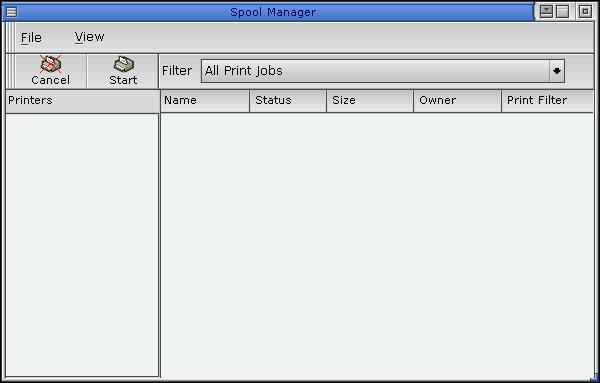
The spool manager's main window.
You can use the spool manager to query and cancel print jobs.
|
The prjobs utility cancels print jobs by removing files from the
relevant mount point owned by spooler.
The command line equivalent is:
rm /dev/printers/printer_name/spool/print_file |
Printing chapter of the Neutrino User's Guide
|
|
|
|