![[Previous]](../prev.gif) |
![[Contents]](../contents.gif) |
![[Index]](../keyword_index.gif) |
![[Next]](../next.gif) |
|
|
|
|
 |
This version of this document is no longer maintained. For the latest documentation, see http://www.qnx.com/developers/docs. |
Configure the mouse or pointer
input-cfg [-s server_name] [-x position[%][r]
          [-y position[%][r]
| If server_name is: | This server is used: |
|---|---|
| node_path | node_path/dev/photon |
| fullpath | fullpath |
| relative_path | /dev/relative_path |
You can use input-cfg to configure input devices, such as a mouse:
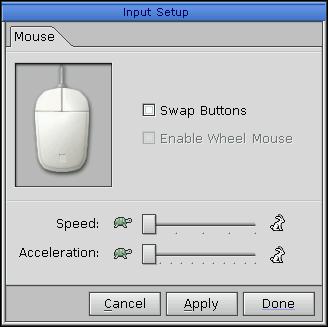
Configuring the mouse.
You can:
By default, you use the left mouse button as Select, and the right as Menu. If you control the mouse with your right hand, this arrangement is best, because you use your index finger (which is stronger than your middle finger) for the Select button. Most user interfaces use the Select button more than the Menu button.
If you use your left hand to control the mouse, you should swap the buttons to avoid straining your fingers.
Input drivers (devi-*) in the Utilities Summary
Using the Photon microGUI in the Neutrino User's Guide
|
|
|
|